| Support Category: Performance | Individual Development Plan (IDP) |
| Specialist Notes: |
A development plan is a structured approach to identifying and building the skills and competencies necessary for both current and future roles.
IMPORTANT! |
WHAT SHOULD YOU KNOW? The order of steps for completing a Development Plan is as follows:
|
HOW SHOULD WE ASSIST?
Guide Links:
|
| Standard Response: |
You can access your Development Plan using either of the methods below:
Method 1:
1. Click the Hamburger Menu in the top right corner of your homepage.
2. Select ‘Performance’, then click ‘Development Plans’.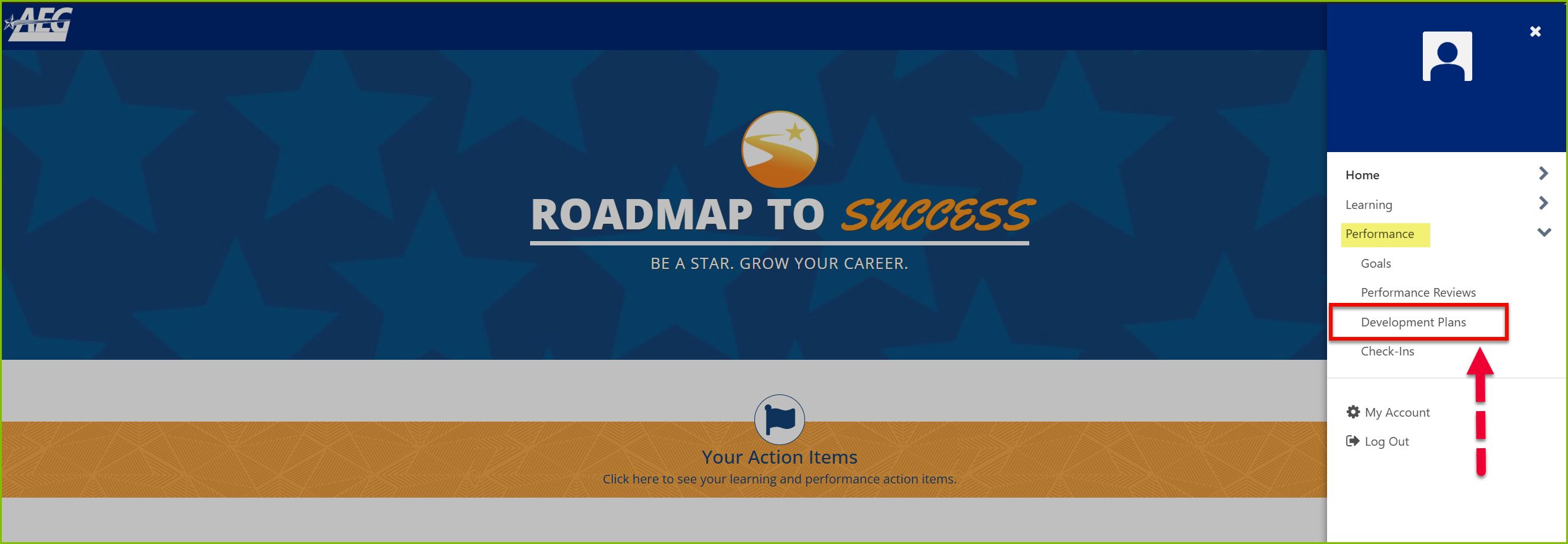
3. Under the Snapshot tab, click your Development Plan title to open it.
Method 2:
1. From the homepage, scroll down and click ‘Learn More’ under the Check-Ins section.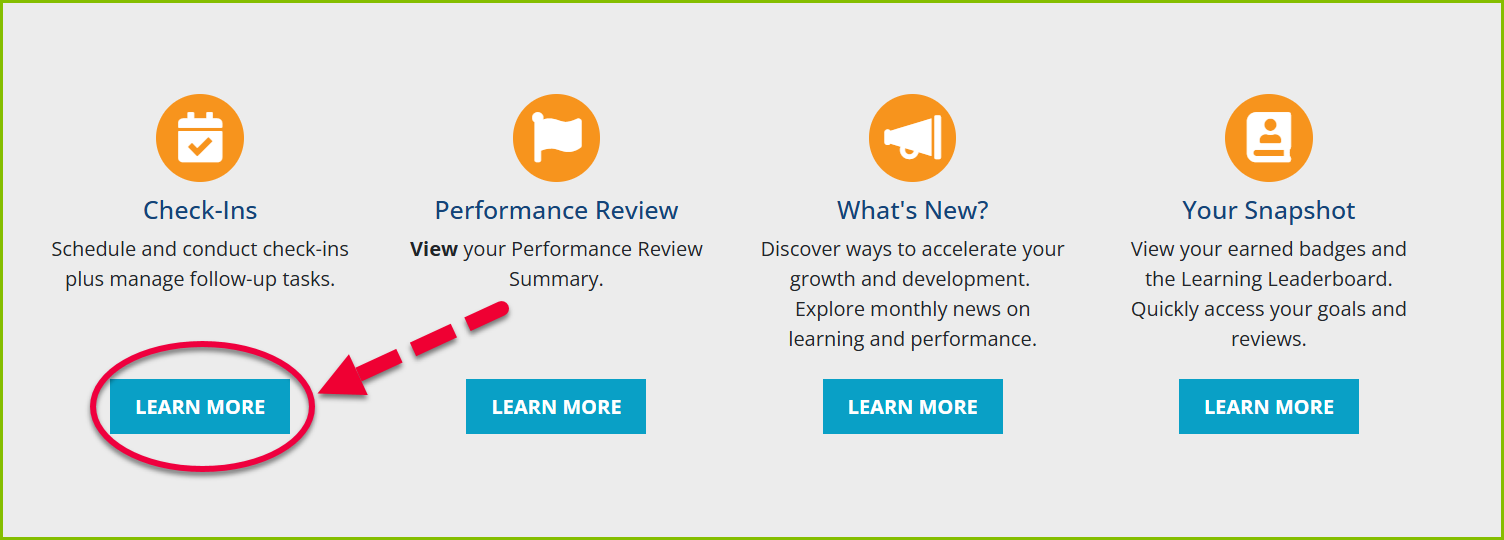
2. Select your upcoming check-in meeting.
3. Click the Development Plan icon on the right side of the page.
4. Click your Development Plan title, then select ‘Manage’ to view or update your plan.
Let me know if you need further assistance.
