| Support Category: Performance | Performance Reviews |
| Specialist Notes: |
There is a group of users who are assigned a different Performance Review task. This task includes "Bonus Evaluation" in the title and is intended for EAG (Employee Agreement) users.
The difference is that the Bonus Evaluation only has Goal Evaluation, and the Performance Evaluation contains Competency Evaluation as well.
To verify whether a user has been assigned this type of task, navigate to the User’s Record and select the Snapshot tab. Then, click the Reviews tile.
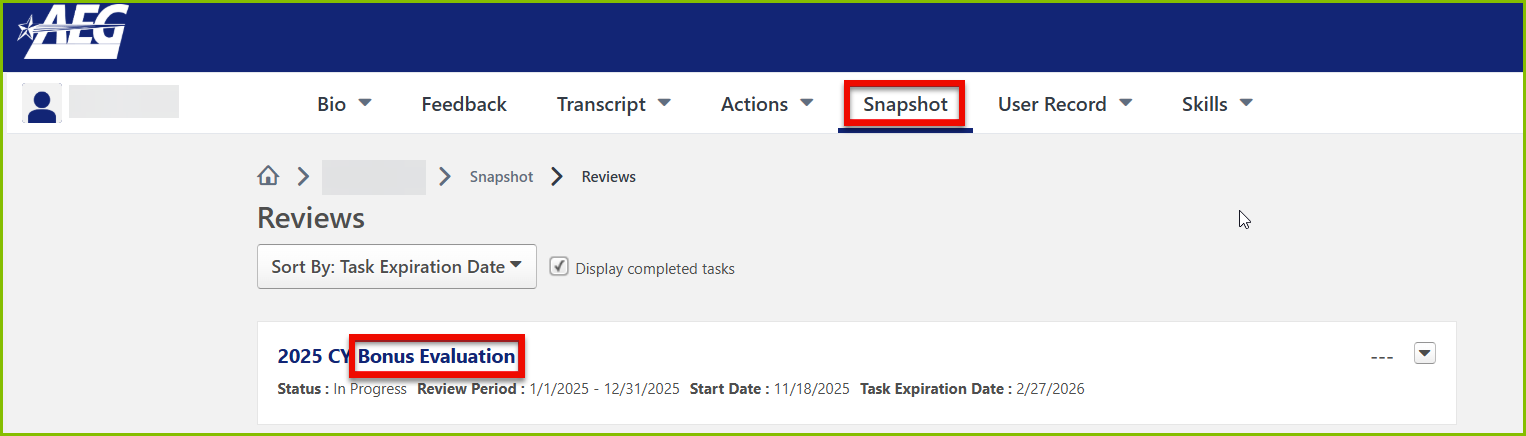
- If the Reviews page displays a task with "Bonus Evaluation" in the title, refer to the information below.
- If the user has a "Performance Evaluation" task assigned instead, refer to the Performance Review | General Info SR.
HOW SHOULD WE ASSIST?
|
Internal Guide:
End-User Links that work with SSO:
- EAG Team Members:
https://aegworldwide.sharepoint.com/:b:/r/sites/talent/Shared%20Documents/Performance%20Management%20Documents/Performance%20Review%20Job%20Aids/Performance%20Review%20Job%20Aid_Team%20Member_EAG%20(3).pdf?csf=1&web=1&e=gZNaUr
| Canned Response Code: /AEG03 |
| Standard Response: |
Kindly note that you can access your Performance Reviews by following the steps below:
1. Click the ‘Your Action Items' flag icon on your homepage. This will take you to your Actions page.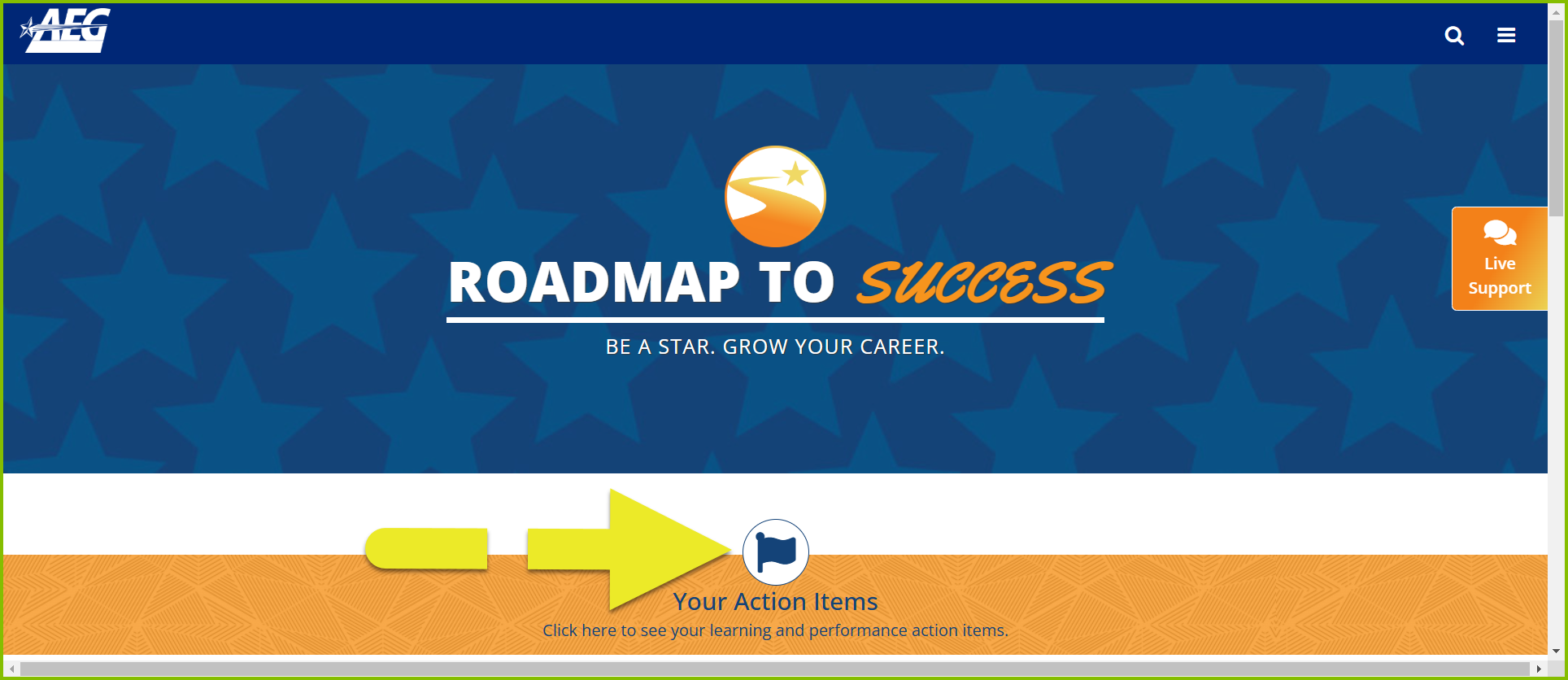
2. Select the item you need to complete by clicking its title or the 'Launch' button.
Here’s a link to the guide on navigating your Performance Evaluation. Please click HERE.
If you experience any difficulty or are unable to view your Performance Review items, please let me know.
