| Support Category: Performance | Performance Reviews |
| Specialist Notes: |
Performance Reviews are the process through which People Leaders (managers) and their teams gain a shared understanding of work expectations and goals, exchange performance feedback, identify learning and development opportunities, and evaluate performance results.
Users are assigned Performance Review tasks, which can be accessed by navigating to the 'Your Action Items' page.
IMPORTANT! To verify whether a user has been assigned this type of task, navigate to the User’s Record and select the Snapshot tab. Then, click the Reviews tile. 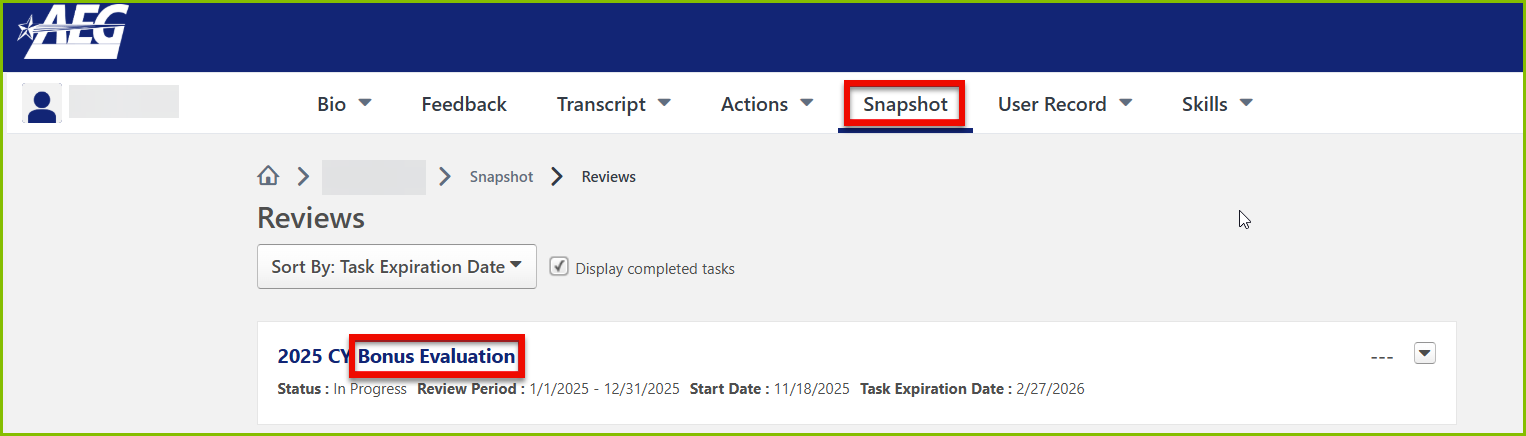
|
HOW SHOULD WE ASSIST?
End-User Links that work with SSO:
|
| Canned Response Code: /AEG02 |
| Standard Response: |
Kindly note that you can access your Performance Reviews by following the steps below:
1. Click the ‘Your Action Items' flag icon on your homepage. This will take you to your Actions page.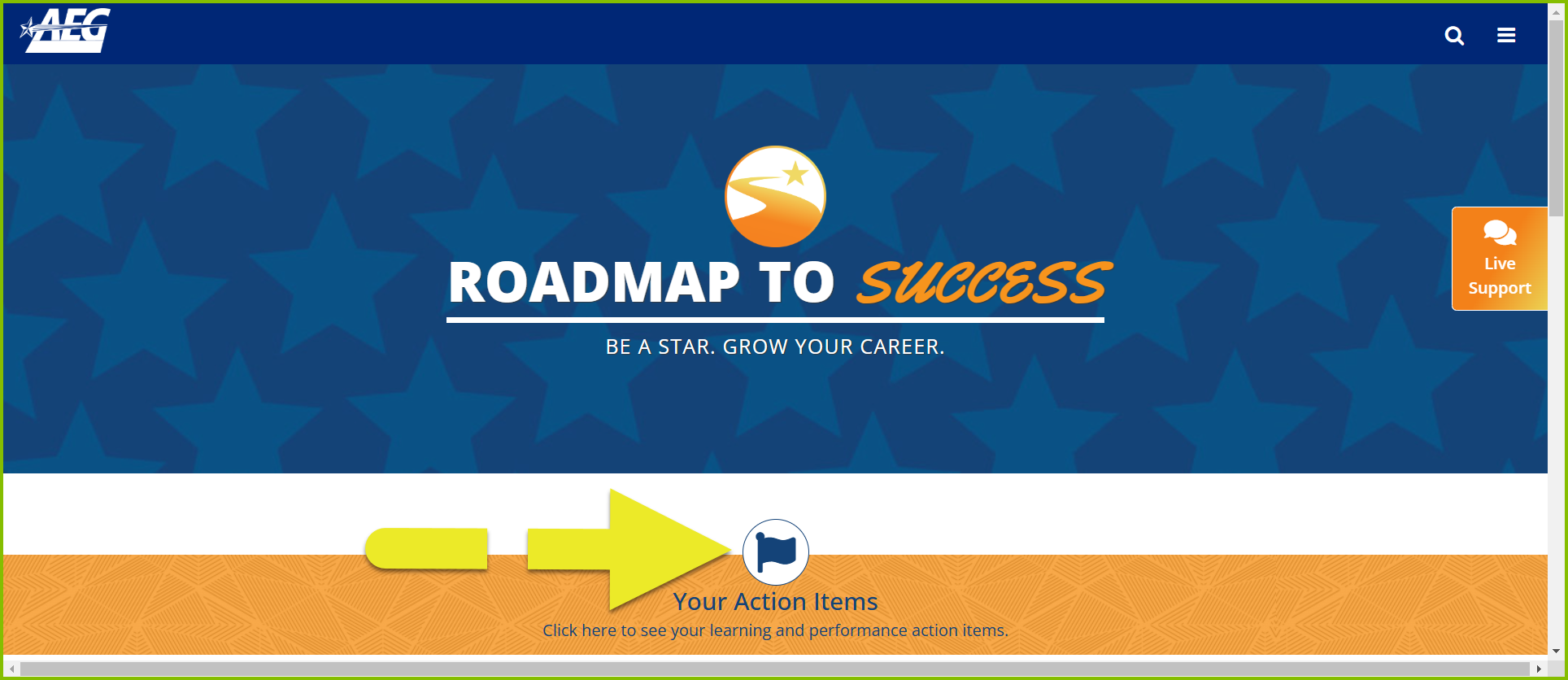
2. Select the item you need to complete by clicking its title or the 'Launch' button.
Here’s a link to the guide on navigating your Performance Evaluation. Please click HERE.
If you experience any difficulty or are unable to view your Performance Review items, please let me know.
