| Support Category: Performance | Performance Management Inquiry |
Goals in Roadmap to Success are specific objectives that a user sets within a defined period. Goals are integrated into a user's Performance Reviews and may impact ratings or career growth.
Users need to update their goal progress as work is completed. Once a goal is finished, they must manually mark it as Completed.
IMPORTANT!
Please refrain from advising users to access their Goals via the hamburger menu, as the Admins advised that some of the options may be available for us to see but not for users.
Example: The Admins confirmed users can't see the 'Create' button on the Goals page. |
WHAT SHOULD YOU KNOW?
The guidelines for creating goals are usually displayed within the Goal Setting task:- Set 3–4 goals, ensuring at least one goal focuses on development.
- Assign goal weights in 5% increments, with a minimum of 10% per goal.
- Ensure that the total weighting adds up to 100%.
The Goal process follows the progression below, which involves the user and their manager:- Team Member Creates Goals
- People Leader Reviews/Approves Team Member's Goals
- Team Member Goal Acknowledgement
|
HOW SHOULD WE ASSIST? Review the Goals | Common Inquiries SR as well as the standard responses available in the Goals KB folder. If the information is not found, there is a guide available.- When using the guide to further assist users, please open it on your end to locate the relevant information and attempt to assist the user directly.
- You may provide the user-facing link if appropriate, but always try to locate the answer yourself before sending it.
Guide Links: - Internal link for End-User Support: Goal Setting
- End-User Link that works with SSO: **The Administrators advised they will update the guide in early February. We will then include the user-facing link here**
- If the information cannot be found or the issue persists, create a ticket to escalate the request to the Admins.
|
Kindly note that you can access your Goal task by following the steps below:
1. Click the ‘Your Action Items' flag icon on your homepage. This will take you to your Actions page.
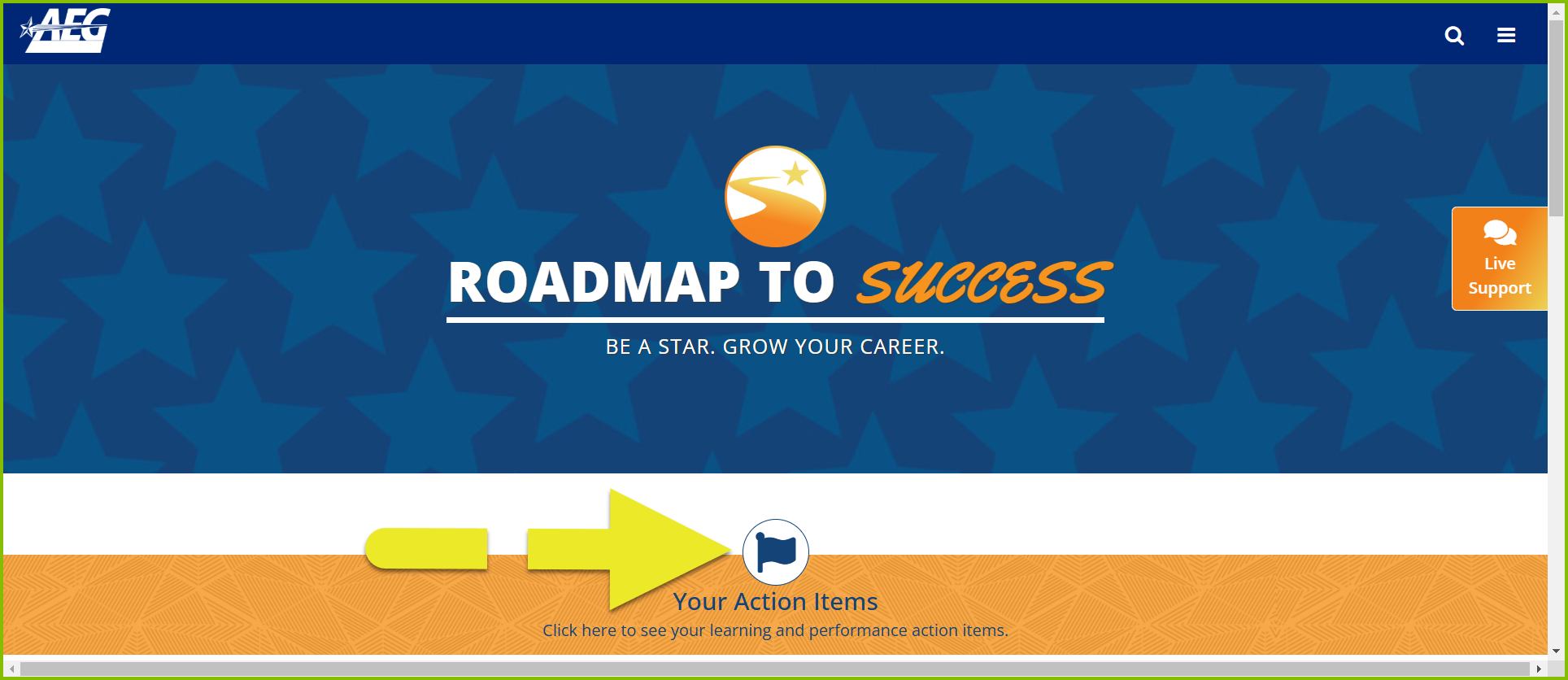
2. Select the item you need to complete by clicking its title or the 'Launch' button.
If you experience any difficulty or are unable to locate your Goal task, please let me know.